Technique
White Balance and Colour at Night: What the Sky Really Looks Like and How to Edit It Honestly
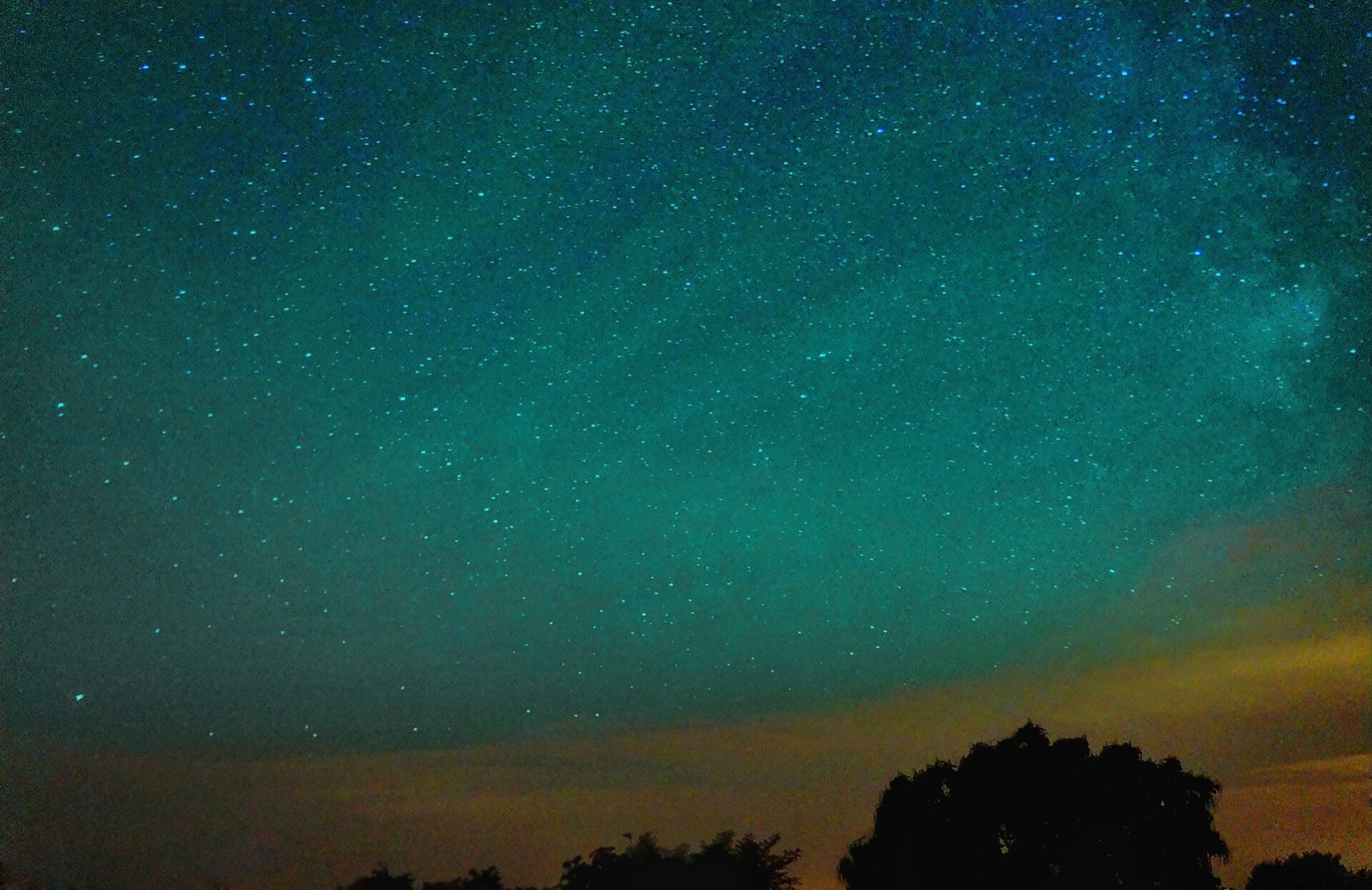
Most night-sky photographs are the wrong colour. You see purple Milky Ways, teal skies and neon aurora over a bright blue sky. Some of that is taste, but most of it comes from not knowing what white balance does or what the night sky really looks like. To get white balance for astrophotography right, start with the sky. It's a dark neutral grey with a faint tint, and the Milky Way is a warm off-white. Any other colour is a choice you make in the edit.
At a glance
- In camera: Kelvin mode, never auto. Milky Way 3800–4500 K, moonlit landscape 4000–5000 K, light-polluted sky 3200–3800 K, the Moon itself 5000–5500 K.
- In RAW: white balance is metadata, so you can change it later without loss. The in-camera value only affects the LCD preview and what gets baked into JPEGs and video.
- The reference: a grey card is useless in the dark. Balance on the Moon, or on a known white star.
- The target: sky a dark neutral grey with a hint of blue, Milky Way core yellow-white with brown dust lanes, and the orange gradient removed, not tinted over.
- The check: if every star is the same colour, you've pushed the edit too far.
What white balance actually is
No light source affects a sensor's three colour channels equally. White balance is the correction that makes a neutral object come out neutral under a given light. It has two axes, colour temperature (amber to blue) and tint (green to magenta). Colour temperature is measured in kelvin because it compares the light with a glowing black body. A candle is about 1,850 K, an incandescent bulb 2,400 K, midday daylight 5,500–6,500 K, an overcast sky 6,500 K, a clear blue sky 15,000–27,000 K. A lower number is a warmer light.
_on_13th_of_August_2015.jpg)
The camera setting is what confuses people. The Kelvin setting doesn't mean "make the picture this colour". It means "the light here is this colour, so cancel it". Tell the camera the scene is lit at 3,200 K and it adds blue to cancel the amber it expects. If the scene wasn't amber, the picture goes blue. So a lower number in camera gives a bluer image and a higher number gives a warmer one, which is the opposite of what the scale suggests. Tint works the same way on the green–magenta axis. It matters a lot at night, because airglow and some streetlights aren't on the amber–blue line at all.
Why white balance is only metadata in RAW
A RAW file stores the sensor values untouched. The white balance is written alongside as metadata and applied at import, so you can change it later and nothing is lost. Shoot RAW, set a sensible fixed Kelvin value, and choose the final value when you edit.
The in-camera setting still decides what the LCD shows, and it's baked into JPEGs, video and any in-camera time-lapse. For sequences it must also be fixed. Auto white balance is worked out again for every frame, so when the Moon rises or a car passes, the sky colour flickers. The time-lapse guide makes this its first rule.
What the night sky really looks like
A dark sky is not black, and not deep blue. On a moonless night far from towns the background has a faint glow of its own. This is airglow, the upper atmosphere releasing energy it absorbed from sunlight during the day. Atomic oxygen glows green at 557.7 nm from about 59–62 miles up and red at 630 nm higher up. Sodium glows yellow-orange at 589 nm and hydroxyl glows red, both from 53–56 miles. Airglow is only about a tenth as bright as all the stars combined, but a long exposure records it as green or red bands, strongest near the horizon. The bands are real, so leave them in.
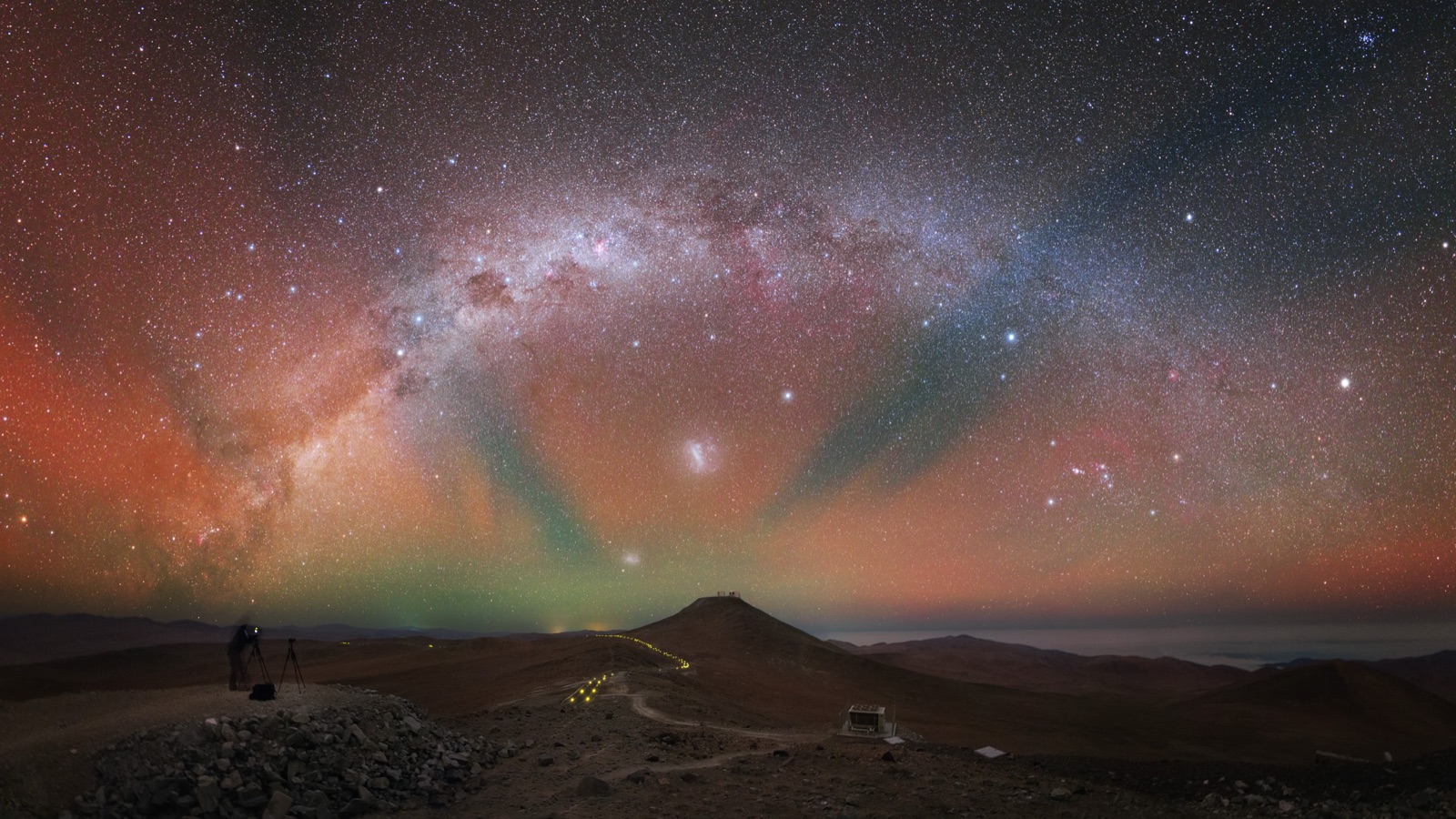
The Milky Way is warm, not blue. Astronomers who measured our galaxy's integrated colour against similar galaxies found about 4,840 K. That's a slightly warm white, which they compared to fresh snow in morning light. Seen from inside, the bulge toward Sagittarius is yellowish and the arms are bluer. Dust lanes cross the band, and they record as brown, not black. Nothing in it is purple. Purple comes from a magenta tint on top of a blue temperature. People also ask about "true colour". The eye sees almost no colour at night, so in this guide "true colour" means the colour the light really is, which is that warm white against a neutral sky.
Light pollution has two colours. Sodium streetlights put nearly all their light into two lines at 589.0 and 589.6 nm, which is the familiar orange glow on the horizon. White LEDs, which have replaced them across most cities, emit a continuous spectrum with a blue peak near 463 nm and a broad yellow hump around 560 nm, so skyglow from LEDs is bluish-white. Many skies show both, with orange low down and grey-white higher up.
Moonlit skies really are blue. Moonlight is sunlight reflected off grey rock. As a light source it measures about 4,000–4,100 K, slightly warmer than sunlight at 5,800 K. The sky it lights is blue for the same reason the daytime sky is blue, but about 400,000 times fainter (magnitude −12.7 against the Sun's −26.7). If you set daylight white balance under a full Moon, the frame looks like a warm afternoon with stars. The eye sees a moonlit scene as blue because dark-adapted vision shifts toward blue (the Purkinje effect).
White balance for astrophotography: starting points by subject
These are in-camera settings for Kelvin mode. Refine them in RAW. Under heavy light pollution, set every value 300–500 K lower.
| Scene | In-camera white balance | Target in post |
|---|---|---|
| Milky Way, dark site | 3800–4500 K, tint 0 | Sky neutral grey with a hint of blue, core yellow-white, dust lanes brown. |
| Milky Way over sodium light pollution | 3200–3800 K | Remove the orange gradient with a gradient tool, then neutralise. |
| Milky Way over LED light pollution | 3800–4200 K | Grey-white gradient. The gradient tool matters more than the Kelvin value. |
| Moonlit landscape | 4000–5000 K | Blue-tinted night with neutral rock. Use 5500 K for the day-for-night look. |
| The Moon itself (telephoto) | 5000–5500 K | Neutral grey. |
| Aurora | 3500–4500 K, tint 0 | The green is the 557.7 nm oxygen line, so leave the tint alone. Some people use daylight (5500 K) instead. |
| Twilight and blue hour | 3200–4500 K | Blue sky, warm horizon. The colour is real and changes by the minute. |
You'll see two numbers quoted for the Moon, and both are right. As a light source on a landscape, moonlight is about 4,000–4,100 K. As a subject through a long lens, the Moon is grey rock in sunlight, and it comes out neutral at a daylight setting of about 5,000–5,500 K. A low Moon really is orange. If a high Moon looks orange, it was warmed in the edit (the Moon phases guide covers when it sits low). For the aurora, some people use about 3,500 K and others use daylight, and both are reasonable. The aurora's colour is a set of emission lines. White balance can shift them but can't create them. What changes is the background, which is blue-black at 3,500 K and brownish at 5,500 K. Don't use auto, and don't use the tint slider to "fix" the green.
Star colours are real
Stars have colour temperatures, measured in the same units as the camera setting, and a wide-field photo records them. Betelgeuse in Orion's shoulder is an M-type supergiant at about 3,800 K. Rigel in the opposite corner is a B-type supergiant at about 12,100 K. Vega is an A0 star at roughly 9,600 K, a blue-tinged white, and for a long time it was the zero point of the astronomical colour scale. If Betelgeuse isn't warmer than Rigel in your picture, the star colour has been lost. Usually the star cores were clipped, and sometimes a global tint did it.
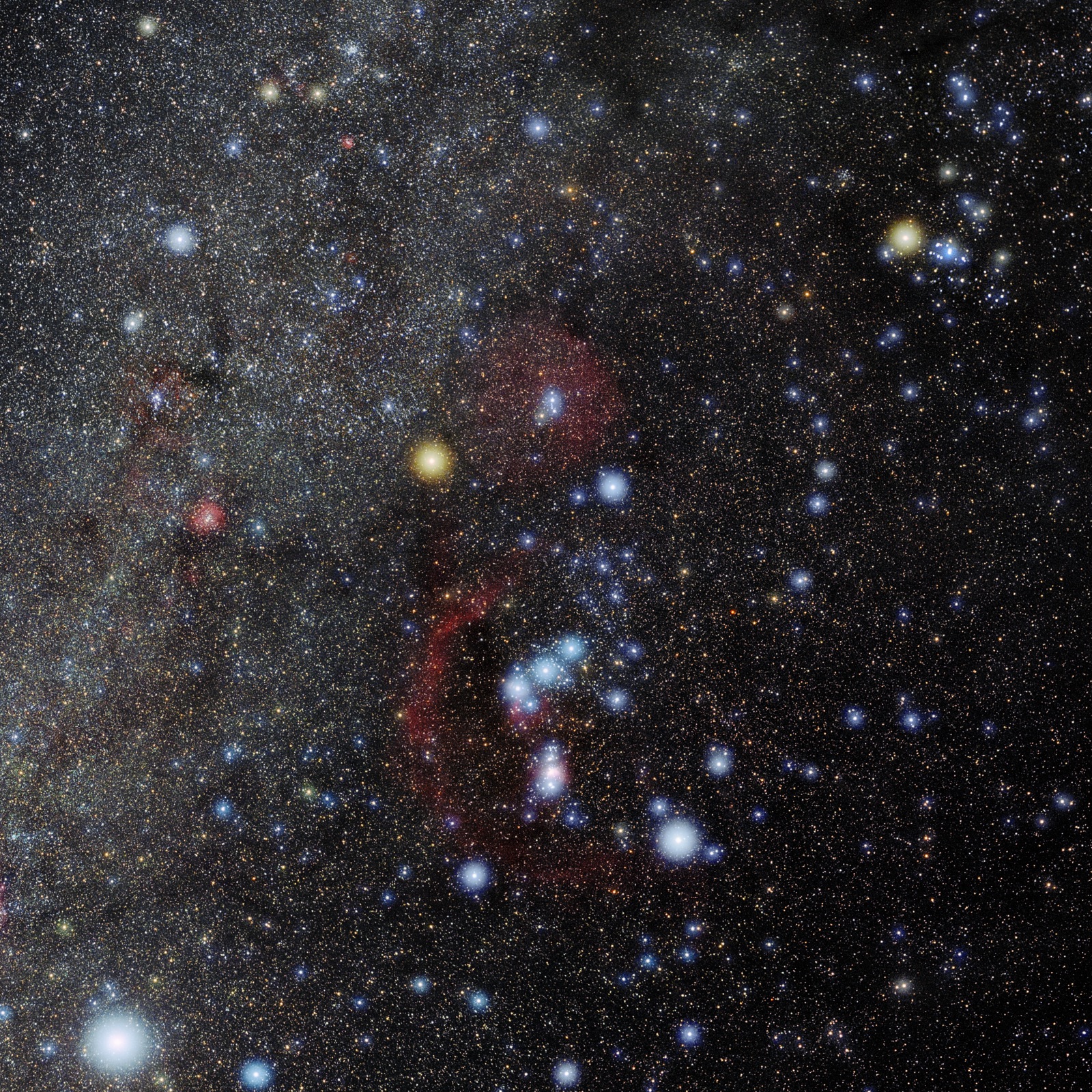
Stars are also the only colour reference you have in the field. A grey card is useless at night because the only light on it is your headtorch. In a moonlit scene, balance on the Moon. Under a dark sky, balance so that a known white star (Vega, or Procyon at 6,600 K) comes out neutral.
Still Dark Camera Tools gives a starting exposure recipe per subject (Milky Way, Moon, Sun, meteors, eclipses) as an aperture, shutter and ISO to adjust from, alongside the NPF and 500 rules for your lens and sensor. Use the recipe with the white-balance starting point from the table above, then adjust both by the histogram, not by how the LCD looks.
Setting white balance in the field
- Switch white balance to Kelvin (K) mode, not auto or a preset, and set the starting point from the table. Set tint to zero.
- Judge only relative colour on the LCD. You can check whether the sky is orange and whether the Milky Way shows against it. Don't judge absolute colour or brightness there. At night the screen is far brighter than everything around it and your eyes are dark-adapted, so you end up with frames that are underexposed and too cool. Read the histogram instead (see the exposure guide).
- Keep it fixed for the session. If the Moon rises, change it once, on purpose.
Editing honestly
- Remove the gradient, don't tint over it. Light pollution adds a gradient that's brightest and most orange near the horizon, and a global white balance can't fix a colour that changes across the frame. If you cool the frame enough to neutralise the horizon, the zenith goes blue. Use a graduated filter that cools and darkens the bottom, or better, a gradient-removal tool. GraXpert is free and open-source, and Siril's Background Extraction fits a model of the sky and subtracts it. Keep the samples off the Milky Way.
- Neutralise the background. Sample empty sky away from the Milky Way and the horizon and adjust temperature and tint until it reads a dark neutral grey (R, G and B within a few values) or neutral with a touch of blue. Leave banded airglow as it is.
- Keep the core warm. Once the background is neutral, the galactic centre will be yellow-white with brown lanes. That's the right colour. Don't cool it to match other people's pictures.
- Add saturation last, and not much. A gentle curve does more than the saturation slider. If the sky turns purple or every star goes magenta, you've gone too far.
Colour calibration for deep sky. For tracked, stacked images there's a better method than judging by eye. Siril's photometric colour calibration plate-solves the image, matches its stars against a catalogue (NOMAD, APASS or Gaia DR3) and computes the per-channel multipliers that make their colours agree with their catalogued temperatures. The newer spectrophotometric version also uses Gaia spectra and your sensor and filter response. PixInsight has an equivalent tool. This sets the white balance from the stars instead of by taste. The documentation warns that a light-pollution filter throws the result off.
Light pollution filters and colour
Broadband "CLS", "light pollution" or "night sky" filters block the sodium and mercury lines and pass the rest. Under a sodium sky they help. Under LED light they help far less, because the LED spectrum is continuous and its blue peak is in a part of the spectrum the filter has to pass. Either way the filter removes a band of yellow-orange from everything, so the frame goes blue-green and the stars lose their warm tones. Correct that in post. See the dark-skies guide for what a filter can do in each sky class.
Phones and night mode
Phone night modes choose the colour for you. Under sodium light many of them make the frame yellow, and under a dark sky some over-correct to a blue that wasn't there. Shooting RAW (ProRAW on iPhone, RAW on Android) keeps white balance as metadata, and the same targets apply (see the phone guide).
The Moon decides whether the sky in a frame will be blue or black. The Sun & Moon card shows tonight's phase, percentage illuminated, Moon rise and set and the end of astronomical twilight, so you can see whether you're shooting a moonlit blue sky at 4,500 K or a moonless dark one at 4,000 K, and when it changes from one to the other.
Common mistakes
- Auto white balance in a sequence. The camera picks a new value for every frame and the time-lapse flickers.
- Purple skies. These come from a cool temperature with a magenta tint. Neutralise the background and the purple goes away.
- "Fixing" airglow with the tint slider until every star is magenta. Airglow is in bands, so a global tint just changes the colour of everything else.
- An over-saturated Milky Way with a blue core. The core is yellow-white.
- Not balancing on the Moon when it's in the sky and gives you a neutral grey reference.
- Cooling the whole frame to get rid of an orange horizon, when you should remove the gradient.
FAQ
What white balance should I use for the Milky Way?
Use 3,800–4,500 K in Kelvin mode with tint at zero, and shoot RAW. Under sodium light pollution use 3,200–3,800 K. In post, make the empty sky a dark neutral grey and keep the core yellow-white.
Why does a lower Kelvin setting make my photo bluer?
Because the setting describes the light you're under, not the result you want. Tell the camera the light is 3,200 K (amber) and it adds blue to cancel it. If the scene wasn't amber, the picture comes out blue.
Why is the night sky green in my photos?
It's usually airglow. Atomic oxygen at 59–62 miles glows green at 557.7 nm, and sodium and hydroxyl lower down glow yellow and red. It shows as broad bands in long exposures from a dark site. It's real, so leave it in.
What colour is the Moon really?
Grey. When it's high it comes out neutral at about 5,000–5,500 K. Low down it really is orange. As a light source on a landscape, moonlight is about 4,000–4,100 K, a touch warmer than sunlight.
Sources and further reading
- Wikipedia — Color temperature (Kelvin reference values: candle 1,850 K, incandescent 2,400 K, daylight 5,500–6,500 K, blue sky 15,000–27,000 K; the green–magenta tint axis).
- Cambridge in Colour — Understanding White Balance (why the camera Kelvin setting works inversely; the limits of auto white balance).
- NASA Earth Observatory — Airglow Over the Indian Ocean and Why NASA Watches Airglow (oxygen green at 95–100 km, sodium yellow-orange and hydroxyl red at 85–90 km; airglow's brightness relative to starlight).
- Universe Today — What Color is the Milky Way? (Newman and Licquia's integrated colour of 4,840 K; yellower centre, bluer arms).
- Astronomy Now — Beating the LED streetlights (why sodium/mercury line filters fail against white LEDs; the 463 nm and 560 nm LED peaks).
- Siril documentation — Photometric Color Calibration and Background Extraction; GraXpert — graxpert.com (gradient removal and star-based colour calibration).